• Make Over Arena

Selling Things On Facebook - Sell Items On Facebook Group

Selling Things On Facebook – Facebook is fast becoming one of the most powerful online marketing platforms for promoting businesses, cond...

Showing posts with label Download. Show all posts

How to Merge Facebook Accounts

 Access Facebook, Account, Android, App, Download, Facebook Account, Facebook App, Mobile, Post, Profile     No comments   

While Facebook does not allow users to auto-merge all friends, photos, status updates, check-ins or other information, you can manually merge parts of your Facebook accounts. Unfortunately, you won’t be able to migrate or re-create all of your data on Facebook.

How to Bulk Download Facebook DataAs a first step, download your data. This procedure can take a while and the archive will serve as your small backup, should you decide to deactivate or delete your Facebook account. It won’t be of great help in restoring any data, though.

Briefly, go to your General Account Settings and click Download a copy of your Facebook data at the bottom.


This will lead you to a page where you can download your information and get a copy of what you have shared on Facebook.


Now do start your archive on this first page. In addition find where it says You can also download an expanded archive… and click the respective link. This will guide you to the Expanded Archive download page where you will be asked to re-enter your password.


Now here is where you will need patience. Depending on how big your main and your expanded archive are and how many other archives are in the queue, this can take some time. And with that I mean a couple of hours.

Note that you must download both archives, to receive a full backup of your account!

Once your archive is available for download, this is what the page will look like.


Although your own photos are supposed to be included in the archive, you should download your Facebook Photos separately. Not only is this procedure another backup, it is also a lot faster and might provide you with more options.

Restore FriendsAs mentioned above, you won’t be able to restore or migrate all of your data and that includes your friends. You need to manually add friends to your new account. Unfortunately, it is not possible export your Facebook friends to a third party account and then re-import them to a new Facebook account.

However, you can import contacts from third party accounts such as Skype or Gmail. So if you have contact details of most of your friends on accounts outside of Facebook, you can take a small shortcut. Go to your new Facebook account and import contacts from any supported third party account (CSV files are also supported) via the Find Friends page.


While you can export your Facebook contacts to Yahoo! Mail, it is not be possible to re-import them to Facebook. And contacts imported from Facebook will certainly not be included in a Yahoo! CSV file.

Note that only contact information of friends who have agreed to have their email address included in information downloads can be imported into your Yahoo! account.

Restore Account DataHere comes the big letdown. There is no way to upload or otherwise import your archive to restore or transfer data from your old Facebook account to your new one. Whatever you want to restore, you have to do it (semi-)manually or use third party tools. Right now, the archive merely serves as a personal backup, nothing more.
Read More
  • Share This:  
  •  Facebook
  •  Twitter
  •  Google+
  •  Stumble
  •  Digg

Download Facebook Mobile App for iPhone

 Access Facebook, Account, App, Download, Facebook App, Messenger, Mobile     No comments   

Facebook application collaborates with different brand names of the phone. Whether you have apple iPhone, Blackberry or various other Android phones, you are free to access the various Facebook applications. In the situation, you wish to download Facebook for mobile iPhone, your very first step is to understand how you can do it.
Download Facebook Mobile App for iPhone

Download Facebook for Mobile iPhoneDownloading and install any Facebook application is not as well difficult. It implies that you do not should comply with any complex actions. To increase your understanding, below are the specific steps you should think about for efficient downloading and install treatments:

See: How Can I Open My Disabled Facebook Account

  • Click the "Application Store" symbol on your phone as well as try to find Facebook on the Application Shop
  • Choose the "Facebook" application from the offered selections
  • Select the option that suggests "Free."
  • Click the "Install" switch as well as click "Ok."
  • Wait to finish the installation procedure.
  • Login and start using your the Facebook application.
The particular procedure of downloading this Facebook application is as well very easy. For that reason, you do not have to stress yourself to download and install 1 or 2 applications. After installing your applications, you could use it anytime you desire.

See: How to Delete a Facebook Account for Good

With different Facebook applications offered on the smartphone, you are complimentary to select anything you desire. If you wish to relax, you could begin utilizing the various applications. If you are yearning to download and install Facebook video game application. A few of these applications could be used alone or in addition to your close friends.
Read More
  • Share This:  
  •  Facebook
  •  Twitter
  •  Google+
  •  Stumble
  •  Digg

Who owns WhatsApp?

 Access Facebook, Android, App, Download, Facebook App, Messenger, Mobile, People, Photo     No comments   

Facebook buys whatsapp

Facebook presently owns WhatsApp.

Facebook bought the messaging service for $19 billion in 2014, only as it was aiming to encourage financiers it had a good preparation for mobile.
The purchase featured some debate as numerous who had particularly prevented registering to the social networks giant discovered themselves accidentally quitting their information though WhatsApp anyhow. Facebook had likewise cannot buy SnapChat a year previously.
At the time, WhatsApp had more than 400 million users around the globe.
See: How to Turn Off Videos on Facebook

Who began WhatsApp?
Whatsapp Creators
WhatsApp was established by Jan Koum and Brian Acton in 2009. The set both operated at Yahoo however left when they ended up being disillusioned with where the business was heading.

They went taking a trip for a year in South America when they returned, Koum, who was initially from the Ukraine however transferred to the States as a 16-year-old, purchased himself an iPhone.

Apple had introduced its App shop, and the set understood this was the start of an entire brand-new market. They got dealing with an app when Apple presented push notices they discovered that their statuses were sent out to all their pals.

Rapidly they understood they had begun an instant messaging service. They called it WhatsApp and quickly realize it was a terrific alternative to costly SMS services - specifically for images.

See: How Do I Add Admin to Facebook Page

At first, WhatsApp generated income by being a pay-for app. In some nations, it cost $1 a year and others the very first year was free and each subsequent year for $1. The chat service has actually up until now prevented in-app adverts as this might get bothersome for its users-- plus the previous owners left Yahoo over work connecting to offering advertisements.

Nevertheless, the app drops membership payments at the start of 2016.

Nowadays the app seems focused mostly on development while generating income from offering the software application and services, inning accordance with an article by the messaging service. The app now has more than one billion users around the world inning accordance with figures launched in 2015.

That suggests taking a look at getting banks and airline companies to message you using WhatsApp over deals. Nevertheless, that still stays to be seen.

It is thought in some circles that Facebook didn't purchase WhatsApp for loan however rather acquired the app to gain access to user's behavior information and get to individual details.

See: How to Tag a Business on Facebook


Read More
  • Share This:  
  •  Facebook
  •  Twitter
  •  Google+
  •  Stumble
  •  Digg

How to save free videos from FB | download videos from facebook

 Access Facebook, Account, Android, App, Download, Facebook, Facebook Account     No comments   

How to save free videos from FB | download videos from facebook: The perquisite for playing free videos on Facebook is a good internet connection and an active facebook. This article explains the means and manner in which you can download free video to your mobile and computer system from Facebook.
Facebook has served as an online social networking solution since its inception. When it was introduced in February 2004 by the founder, Mark Zuckerberg together with some Harvard trainees. Its subscription was initially limited to Harvard students, before being opened up to the general public.
Facebook individuals have the ability to create accounts, add other people as “friends”, send out messages, conversation, blog post updates, share video clips, images and also interact with close friends, family members as well as colleagues online, promote their brand among other uses.
Facebook video clips feature enables its users to post their video clips and also share them with other persons. Facebook video clips are posted on individual Facebook users’ profile and directly to Facebook’s very own web servers; each user could submit a particular variety of video clips with extremely excellent quality. So when you come across that amazing video clip you do not wish to watch alone but download and have on your systems, or mobile phones, this guide will tell you how you can download and install any not secured video clips from Facebook.

Download Free Video from Facebook with Saveting

  • Choose any Facebook video clip to start with.
  • Replicate the LINK of the video clip (the layout will be something like this: https://www.facebook.com/diamond/videos/1080016688743359/).
  • Paste Facebook video clip LINK to the input area on the web page.
  • Select the video clip you choose.
  • To make sure it is with the right filename, Right click + save as.
  • Wait till the video clip is downloaded and install.
  • Play video clip in your video clip player, or utilize VLC player
Why it is better to Save Facebook Videos With Saveting
Saving a file with saveting gives us excellent benefits which include among others:
  1. You do not require any setup of the software program; it is purely on the internet.
  2. Saveting sustains a large variety of video clips websites such as YouTube, Twitter, Instagram, TED, Facebook, and so on.
  3. It is easy to use; you just require the LINK of your video clip and the rest will certainly be done by Saveting.
  4. Saveting is secure it does not download and install any video clip in its very own web server, it offers you the straight web link of the video clip from the video clips website to ensure that you could download and install directly. Therefore, you will certainly have the first video clip with first top quality in a secure method.
  5. There is no limitation of usages for Saveting, no licenses needed. You can save lots of video clips with no constraint, no such pop up like upgrade to premium to enjoy additional features!
  6. It is always available.
Read More
  • Share This:  
  •  Facebook
  •  Twitter
  •  Google+
  •  Stumble
  •  Digg

Facebook Sending Friend Requests

 Access Facebook, Account, Download, Facebook, Facebook Account, Facebook followers, Page, People, Post, Settings     No comments   

The Facebook is an excellent platform where you could fulfill all your close friends that are long, away. We could recognize there Condition, there pictures, there where about if they upload on there wall surface or Facebook Profile. We could fulfill everyone and know, yet to understand about them you should be buddy of them. So we will certainly recognize Facebook Sending Friend Requests. To Add Good friend is easy and you have to simply send your pal a demand to add you as a friend.

Facebook Sending Friend RequestsTo send a Friend demand you require to understand him outside Facebook. you could even Include Good friend if you also do not know him outside. Yet make certain not to send out friend request to a lot of of them, this might cause the Block of your Make up couple of days.

* Visit to your Facebook account by going into www.facebook.com or www.fb.com.

* Then Browse for the Person you intend to buddy request on the Search bar of Facebook.

    include good friend on Facebook.

* After you look the Account or Profile you wish to send the Close friend demand you will have the option to ADD FRIEND.

Include friend on Facebook.* Click the ADD Friend and also the Pal Request will be sent to the individual, wait till he accepts your Good friend request.

Include Close Friends on Facebook:The Good friend Demand can be sent to everybody you recognize yet make sure you understand him directly as well as also long times you can not locate ADD BUDDY option on some Accounts, ask the individual to send you the Pal demand if you recognize him personally. If you aren't sure him after that you can not make pal with that individual, yet you will certainly have an option to Comply with the individual where you can get all updates of that individual.

Conclusion:You can send Friend Request, otherwise you could follow and understand their status on your information feed. Make certain to increase your FB close friend checklist in an excellent way. Do not spam on Facebook.

Read More
  • Share This:  
  •  Facebook
  •  Twitter
  •  Google+
  •  Stumble
  •  Digg

Sync Contacts on Facebook

 Access Facebook, Account, Download, Facebook, Facebook Account, Facebook App, People     No comments   

In this overview, we're merely most likely to tell you the best ways to sync your Facebook contacts with your Android phone - which is utilized to be truly really simple till Facebook altered their API as well as made it practically impossible to sync call listings.
Sync Contacts on Facebook

Facebook has gone from being simply another social media network to a vital get in touch with device for both job and enjoyment.

Fortunately it's really simple to sync your Facebook contacts with any Android gadget.

Sync Contacts From Facebook1. On your phone most likely to your SETTINGS menu.


2. There will certainly be an 'add account' or 'clouds and accounts' alternative.

Sync Contacts on Facebook

3. You should see Facebook on the list of accounts. Either inspect package or tap 'sync' and also your Facebook get in touches with ought to then appear in your phone get in touch with list.

Sync Contacts on Facebook

There must additionally be options to sync schedule, schedule and Facebook feed for maximum combination.

If you don't see Facebook in the listing of accounts you will certainly need to set up the application from play store and then follow the actions above.

If you discover that there are matches of specific contacts, you could use CRA's de-duplication option to clean up your call checklist.

Read More
  • Share This:  
  •  Facebook
  •  Twitter
  •  Google+
  •  Stumble
  •  Digg

How Do You Post A Gif to Facebook

 Access Facebook, Account, Android, App, Download, Facebook, Facebook Account, Facebook followers, People, Post, Profile     No comments   

Just recently, Facebook has begun giving its individuals to utilize computer animated gif pictures under conversation box other than sticker labels. Currently you can use gif photos also to communicate your expressions, your feelings or even to reveal that you are actually laughing aloud instead of just using vernacular lol.

Prior to 2013, it was feasible to post a gif on facebook as well as share gif on Facebook yet quickly Facebook generally stayed clear of making use of GIFs due to its vehicle playing function which inevitably makes the News Feed look really clumsy.

You can not simply post a gif on Facebook merely, as opposed to being computer animated it will end up being a still image after you post a gif on Facebook. You might have seen a great deal of published gifs on Facebook currently days but just how that's occurring if Facebook has no alternative to upload a GIF on Facebook?

How Do You Post A Gif To Facebook.
How Do You Post A Gif to Facebook

1. To Post a GIF to Facebook Profile you have to download and install and also save a GIF picture on your neighborhood computer system which we will later on make use of to publish on your Facebook account.

2. Goto Giphy and create a brand-new account if you are not sign up on it already to post a gif on Facebook. You could login utilizing your Facebook account on Giphy otherwise you do not even have to produce an account on it to post a gif on facebook.

3. There are 2 choices to submit gif on Giphy, either drag and also decline gif images or you can simply get in URLs to publish on Giphy which will let you to publish a gif on Facebook later.

4. Go into URL of the gif as well as paste it in the input box, it will process the web link as well as after that get in tags and also resource link which are optional and click Upload GIFs.

5. Your GIF will be uploaded on Giphy, now click the share switches readily available below the uploaded GIF image, pick Facebook and click on share and also include caption and afterwards upload a gif on Facebook.

How you can Post a GIF on Facebook utilizing Photo Holding Websites.There are a great deal of complimentary picture hosting websites which you could utilize to publish a gif on Facebook. You can not simply post any type of GIFs on Facebook straight but there's always an indirect way to upload a gif on Facebook easily with no problem.

How Do You Post A Gif to Facebook
* Locate any GIF picture as well as replicate the URL of that GIF picture by best clicking it and replicate the photo url, goto any type of complimentary image organizing website as well as upload that GIF using the replicated URL or you can utilize that copied link to simple paste in Facebook condition sharing box and also it will automatically capture the GIF photo as well as you will certainly be able to upload a gif on facebook.

* You could use Tumblr, Giphy, Imgur, Postimage, Tinypic, Photobucket or other free photo organizing websites. Just download and install and conserve GIF photo on your computer system and also then upload GIFs on any of the cost-free photo organizing sites to host you GIFs and message GIFs on Facebook.

* You could develop GIF pictures, produce your own GIF memes and post a gif on Facebook quickly by just publishing it to a totally free photo hosting website.


Quickly, I will share an entire new content of viral GIF images posted on facebook that you can utilize to upload gifs on facebook and share them with your pal circle. Rather than uploading a video on Facebook, you can make use of a great deal of device offered online to transform them into animated gifs and after that submit them to a free photo hosting website like Giphy then message gifs on facebook quickly.

Read More
  • Share This:  
  •  Facebook
  •  Twitter
  •  Google+
  •  Stumble
  •  Digg

Add Youtube Video To Facebook

 Access Facebook, Account, App, Download, Facebook App, Mobile, Post     No comments   

Add Youtube Video To Facebook: This article teaches you ways to publish a video from YouTube to your Facebook Timeline, both on smart phones and on computers.
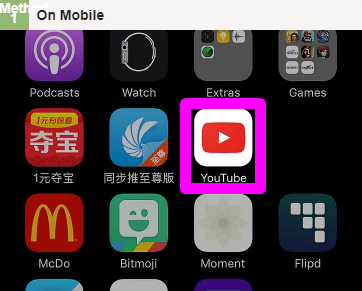
Open up YouTube. This app is red with a white "Play" icon.


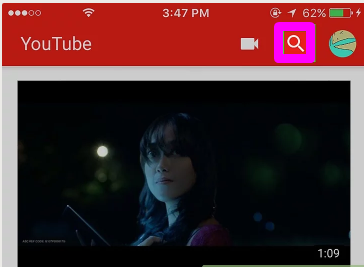
Tap the magnifying glass icon. It's in the upper-right location of the screen.


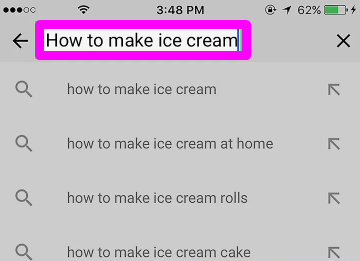
Get in a video title, after that touch Search. This need to be a video which you desire to share to Facebook.


Situate and touch the video clip. Doing so will open it


Touch the "Share" arrowhead (iPhone) or Picture labelled Android7share.png (Android). The "Share" arrowhead appears like a curving, right-facing arrow; you'll discover the share choice on top of the video.


Tap Facebook. It remains in the pop-up window. For this choice to appear, you must have Facebook installed on your mobile device.

You may initially need to touch Extra on iPhone in order to display the Facebook symbol.

If prompted, enable YouTube permission to post to Facebook, after that authorize right into Facebook with your e-mail address (or contact number) and password prior to proceeding.


Get in text for your article if you such as. You'll do so in the "Say something ..." field that shows up at the top of the Facebook message home window.

If you don't get in text below, the default message over the post will certainly be the connect to the video clip.


Tap Article. It remains in the top-right edge of the blog post window. Doing this will certainly post your video clip to Facebook.
Read More
  • Share This:  
  •  Facebook
  •  Twitter
  •  Google+
  •  Stumble
  •  Digg

Download Facebook For IPhone

 Access Facebook, Account, Download, Facebook, Facebook Account, Facebook App     No comments   

Unlike the majority of apps that work on iphone 8.1, you can mount the Facebook app from your iPhone's Setups menu as opposed to the Application Shop. This alternating installment method is possible due to the fact that Facebook is incorporated in all versions of iphone-- from variation 6 and up. You just need an Apple ID to download the complimentary application from the Facebook Setups section of the iOS Setups food selection. Furthermore, you can submit content to your Facebook account from various other relevant apps, such as the Photos app, by checking in to your account from the Facebook Setups area.

Download Facebook For Iphone

You could relocate the Facebook application to an additional display or folder at any moment.


Access your iPhone's Settings menuStep 1
Tap Settings from the House screen to open your apple iphone's Setups screen.


Select the Facebook choice
Action 2Scroll down the Setups screen as well as choose the Facebook alternative to open the Facebook Setup screen


Beginning the installment procedure.Action 3
Touch the Install button to open a pop-up box that triggers for your Apple ID password. To publish material to your Facebook account from other appropriate applications, enter your Facebook qualifications in the appropriate areas and after that tap Sign In. After you check in to your Facebook account, upload content by touching a suitable app's Share icon, which appears like an arrow leaving a box. To produce a new Facebook account, faucet Produce New Account and follow the guidelines


Download and install the Facebook application.Tip 4
Faucet Get in Password and enter your Apple ID password to download and install the Facebook application. If you use the Touch ID function on your apple iphone, press your applicable finger against the House button to download the app.

Launch the Facebook application.Step 5
Touch the Facebook icon after the download process finishes to launch the application If you have a multitude of applications across several displays, swipe your finger down from the middle of the House display and after that kind Facebook in the Spotlight Browse bar to find the app.


Check in to your Facebook account.Enter your Facebook credentials in the appropriate areas and also faucet Log In to access your Facebook account. If you do not have a Facebook account, faucet Register for Facebook and then follow the directions to produce a brand-new account.

Read More
  • Share This:  
  •  Facebook
  •  Twitter
  •  Google+
  •  Stumble
  •  Digg

Facebook On iPhone

 Access Facebook, Account, Android, App, Download, Facebook Account, Facebook App, Facebook followers, Mobile, Profile     No comments   

Facebook has in their own tiny way make the globe a much better location with developments. We will reveal to you how you can download and install Facebook Application on your mobile gadgets (On Iphone).

Downloading Facebook Application is very important because it permits you to talk in a more smarter method with your wise phone, tablet computer, iPad, and so on.

Facebook On Iphone.

Facebook app download enable you to send and receive instant messenger to your friends as well as household through Facebook messenger application free download. So don't reconsider Facebook free download because it's simply the most effective choice you are making-- you become as much as day with your Facebook good friends, fans, and so on.

This article is right here to assist you on the best ways to download and Install Facebook application.

You could download and install Facebook Application on any tool in all offered it can access the internet. Most cellphone manufacturers are not satisfied with phone making without having to include a default Facebook app on their device.

If you have a phone, tablet or iPad that has no Facebook application pre-installed, then you do not have to bother no extra since I'll make sure to include the connect to FB download in this short article.

Download And Install Facebook App on iOS From Google Pay Shop for iPad as well as iPhone.
" Go to Facebook official iOS web link to download and also set up FACEBOOK Application on iPhone or iPad by clicking Here or Here.

" On the page that appears, click on "Get App".

" Follow the steps and also mount your Facebook Application.

Download And Install Facebook Application On Android Phones From Google Play Shop.
To download and install FB app from google play store is very simple and easy so just follow the procedures composed listed below to download and install the app on your mobile application.

* Download FB app on your device currently.

* Then click mount, that's all.

* Go to your apps menu and open up the freshly set up FB app.

* Then fill your Facebook information to check in, as well as enjoy your conversation.


Read More
  • Share This:  
  •  Facebook
  •  Twitter
  •  Google+
  •  Stumble
  •  Digg

Find Friends On Facebook

 Access Facebook, Account, Download, Facebook, Facebook Account, Facebook App, Facebook followers, Mobile, Profile     No comments   

Before you could get in touch with another person on Facebook and also see their complete profile, you have to first end up being buddies. Below are the steps on Find Friends On Facebook.

Facebook on the computer
Facebook makes it very easy to find buddies on Facebook with the "Find Friends" link that can be found on top of your Facebook web page or can be opened by seeing the https://www.facebook.com/find-friends web link. Also, from this page, you could search for buddies based on name, e-mail, hometown, city, school, or employer.

Facebook on the apple iphone and also iPad
On the Apple iPhone and iPad, you can discover good friend pointers by touching the hamburger menu in the bottom right edge of the display and after that click on Friends. In the Discover Buddies section, you could tap Suggestions to see that Facebook suggests as a friend or tap Search to find someone by name or email.

Facebook on Android gadgets
On an Android phone tap the menu icon in the leading right edge of the screen then tap Friends. Within the Find Pals section, you could tap Suggestions to see that Facebook suggests as a friend or tap Search to discover somebody by name or email.

Read More
  • Share This:  
  •  Facebook
  •  Twitter
  •  Google+
  •  Stumble
  •  Digg

Open My Facebook Account Login

 Access Facebook, Account, Download, Facebook, Facebook Account, Facebook App, Facebook followers, Facebook Login, Facebook Logout, Followers, Login, Profile     No comments   

Facebook founded in 2004 has registered over 2 billion individual. To develop new Facebook account suggests you also intend to reach the global world where you can get in touch with your friends, family members, associate, customers, and so on.
Open My Facebook Account Login

Actually, Facebook just consisted of a terrific feature "Facebook Live" which allows you share a video clip minute with pals equally as it is happening at your area.

So what are you waiting to produce brand-new Facebook account today so you can enjoy the giant social media sites attributes in its complete package!

Open My Facebook Account Login
To develop new Facebook account is very straightforward and also simple, simply follow these few actions below to develop your personal New Facebook Account.

Here;
1. From your tool browser, see www.facebook.com

2. Complete your details (See photo above) which includes;

-Your First Name
-Your Surname
-Your Phone Number or Email Address
-Choose a Password (Remember to choose a password that you can easily memorize, but which would be difficult for others to guess)
-Enter your birth details
-Select your Gender, either male or female.


3. Click on "Create an account" or "Sign Up".

At this moment, Facebook sends you a verification mail to your email inbox/code to your cellphone for confirmation.

Swiftly go to your email and click the confirmation mail sent to you by Facebook in order to verify your are the owner of such email address.Upon doing this, your new Facebook account will certainly be fully produced ... Congratulations!

You can now go to to Facebook and also sign in with your email or phone number and password to access your brand-new Facebook Account.

Login New Facebook Account
To visit or sign in your new Facebook account, follow this guide below;.


1. Most likely to www.facebook.com.
2. Enter your email or telephone number (Which you utilized in producing the account).
3. Enter your password.
4. Now, click "Log In".

How Do I Open Up a Facebook Account?
A Facebook account can keep you connected to friends and family. To open up a Facebook account you'll need an e-mail address. When you have actually gone to the Facebook web page you'll see a section on the internet site that states "Subscribe." It will ask for your name, email address, birthday as well as sex. You will likewise need to create a password for logging in. A verification web link will certainly be sent out from Facebook to your e-mail address. This confirms that you are the proprietor of the account. After confirmation, you'll gain complete accessibility to Facebook.


What to Do if Facebook Isn't Right for You
Inning Accordance With Public Relations Wire Service (2014) there are presently greater than 1.23 billion Facebook customers monthly. Nonetheless, you may find that you not desire a Facebook account, or would certainly choose to deactivate it. To erase your account, you can send Facebook a request to permanently remove it. Once it's erased your account can't be reopened (you would have to make use of a various email address). Deactivating your account eliminates your account from sight, however you can constantly reactivate it at a later date.

The Best Ways To Open Multiple Facebook Account On PC, Android
There are 85 percent Facebook customers who has lots of Facebook accounts.And, to open these accounts, they need to log-out as well as login with other account every time.This is an extremely irritating process to handle these accounts.

So here of, I have an extremely helpful solution for this. Currently you can open up Multiple Facebook account at the same time by this technique. Simply comply with the given tutorial.

First Choice
1. First, open up a Facebook account customarily.( for open First FB account ).

2. Currently, to open up 2nd Facebook account, open Facebook.com secretive mode/Incognito surfing.


3. Now, login Facebook.

2nd Option Visit with various web browser with various Facebook accounts

3rd Option
1. First Download And Install Java Runtime as well as install it on your PC. visit this site to download and install.

2. Currently, open Opera mini, and then Mount this simulator. click here to download and install.

3. Then, Enable Java plug-in on Opera mini browser.

4. Now, in each window, you will have the ability to open Multiple Facebook accounts. done.


Read More
  • Share This:  
  •  Facebook
  •  Twitter
  •  Google+
  •  Stumble
  •  Digg

How to Cancel Your Facebook Account

 Access Facebook, Deactivate Facebook Account, Delete, Delete Facebook, Delete Facebook Group, Delete FB, Deleting Facebook, Download, Facebook Account, Facebook App     No comments   

Facebook is a preferred social networking web site comparable to MySpace (currently social networking feature formally defunct). You might obtain many invite requests from pals, course-mates, coworkers or member of the family to join Facebook to get in touch with them. So you join and also join a Facebook account however believe that might be a phone call is a far better way to bring connection with friends closer or Facebook account has actually seriously invaded your privacy and also safety and security, you could quickly terminate, erase or terminate Facebook account, together with the Facebook account.


How To Cancel Your Facebook Account1. Check in to Facebook account.

2. Click or touch on the Menu arrowhead ahead right edge, and afterwards go to Settings.


3. Click or tap on Security on the left pane.


4. Click or touch on the Deactivate Your Account (or on the Edit link at the end of the line) to increase the area.


5. Click or touch on the Deactivate your account once more.


6. "Deactivate Account" page that asks "are you certain you wish to deactivate your account?" will certainly fill. Select one of the reasons why you intend to delete your Facebook account, such as I don’t feel safe on Facebook, I spend too much time using Facebook, I have another Facebook account, This is temporary. I’ll be back, I need to fix something in my account, I don’t understand how to use Facebook, I get too many emails, invitations, and requests from Facebook, I don’t find Facebook useful or I have a privacy concern, My account was hacked and etc. If you have some special factor on why you want to terminate your Facebook account not provided in the listing, click Other, please clarify further and type in your personal explanation in the text box provided.


7. If you no longer want to get any invite to occasions, notification of good friend demands, tag in pictures, or ask you to join groups from Facebook, click and also tick the check box of Opt out of obtaining emails from Facebook alternative to opt out as well as NOT receive these e-mail invitations as well as alerts from your pals.

8. Click or touch on Deactivate button.

9. Hit the Deactivate Now switch once again on the confirmation pop-up.


10. When the Facebook account is shut down, the complying with message will appear:.


11. Currently your Facebook account is deactivated, but still can be reactivated. So do not try to login with to your Facebook account any longer, as doing so will certainly reactivate your account if you click the reactivation confirmation web link sent to your signed up email. According to Facebook Privacy Policy, info associated with your account will certainly be kept until your account is deleted, unless we no longer need the data to offer product or services.

Although can be reactivated and also recover your profile in its totality (friends, images, rate of interests, etc), deactivation functions to totally eliminate your profile, Timeline and all connected web content on your account from Facebook. In addition, individuals will not be able to look for you or watch any one of your info.

Facebook account deletion without any healing option which also make sure that Facebook maintains no data of you is somewhat various procedure. Right here's how to delete Facebook account.

The following is legacy approach to shut off Facebook account for previous variation of Facebook, kept here for background objective:.

1. Check in to Facebook account.

2. Click on Account web link on the top right corner.


3. On the "Settings" tab (click on Settings if you're not currently there), click deactivate at the end of "Deactivate Account" line.


4. "Validate Facebook Account Deactivation" web page will pack. Select among the reasons you want to delete your Facebook account, such as I don't feel secure on the website, I invest too much time utilizing Facebook, I have another Facebook account, This is short-term. I'll be back, I should deal with something in my account, I do not understand ways to use the website, I obtain too many emails from Facebook, I don't locate Facebook useful or Facebook is causing social dramatization for me. If you have some unique reason on why you wish to end your Facebook account not detailed in the listing, click Various other and also key in your own description in the message box given.


5. If you no longer want to get any type of welcome, alert of friend requests, tag in images, or ask you to join teams from Facebook, click and also tick the check box of Opt out of getting emails from Facebook. alternative to opt out and also NOT get these e-mail invitations as well as notifications from your friends.

6. Click Deactivate button.

7. Once the Facebook account is deactivated, the following message will show up:.
Your Facebook account has been shut down.

To reactivate your account, simply log in as you normally would, and we’ll send you a reactivation email.

Come back soon,
The Facebook Team

8. Currently your Facebook account is shut off, but still can be reactivated. So do not try to login with to your Facebook account any longer, as doing so will certainly reactivate your account if you click the awakening confirmation web link sent out to your signed up e-mail. According to Facebook Personal privacy Plan, got rid of information might persist in backup copies for a reasonable period of time yet will not be usually readily available to participants of Facebook. So probably wait for a couple of months or years prior to attempting to login to validate that all your information is cleaned.
Read More
  • Share This:  
  •  Facebook
  •  Twitter
  •  Google+
  •  Stumble
  •  Digg
Older Posts Home

Blog Archive

  • ▼  2019 (502)
    • ▼  July (5)
      • ▼  Jul 08 (2)
        • Selling Things On Facebook - Sell Items On Faceboo...
        • Marketplace App For Facebook - How does Facebook ...
      • ►  Jul 07 (2)
      • ►  Jul 06 (1)
    • ►  February (368)
      • ►  Feb 12 (33)
      • ►  Feb 11 (21)
      • ►  Feb 09 (37)
      • ►  Feb 08 (40)
      • ►  Feb 07 (45)
      • ►  Feb 06 (40)
      • ►  Feb 05 (23)
      • ►  Feb 04 (49)
      • ►  Feb 02 (25)
      • ►  Feb 01 (55)
    • ►  January (129)
      • ►  Jan 31 (78)
      • ►  Jan 30 (20)
      • ►  Jan 29 (11)
      • ►  Jan 20 (4)
      • ►  Jan 19 (3)
      • ►  Jan 18 (4)
      • ►  Jan 17 (5)
      • ►  Jan 16 (1)
      • ►  Jan 12 (1)
      • ►  Jan 11 (1)
      • ►  Jan 10 (1)
  • ►  2018 (2464)
    • ►  November (64)
      • ►  Nov 25 (4)
      • ►  Nov 24 (4)
      • ►  Nov 23 (7)
      • ►  Nov 22 (9)
      • ►  Nov 21 (11)
      • ►  Nov 19 (14)
      • ►  Nov 15 (7)
      • ►  Nov 03 (6)
      • ►  Nov 01 (2)
    • ►  October (178)
      • ►  Oct 31 (9)
      • ►  Oct 30 (1)
      • ►  Oct 26 (1)
      • ►  Oct 24 (16)
      • ►  Oct 23 (21)
      • ►  Oct 22 (26)
      • ►  Oct 19 (5)
      • ►  Oct 16 (50)
      • ►  Oct 15 (36)
      • ►  Oct 14 (12)
      • ►  Oct 13 (1)
    • ►  September (770)
      • ►  Sep 27 (58)
      • ►  Sep 26 (50)
      • ►  Sep 25 (70)
      • ►  Sep 24 (70)
      • ►  Sep 20 (50)
      • ►  Sep 19 (79)
      • ►  Sep 18 (50)
      • ►  Sep 17 (43)
      • ►  Sep 14 (81)
      • ►  Sep 13 (39)
      • ►  Sep 12 (101)
      • ►  Sep 11 (69)
      • ►  Sep 10 (9)
      • ►  Sep 09 (1)
    • ►  June (215)
      • ►  Jun 07 (13)
      • ►  Jun 06 (5)
      • ►  Jun 05 (48)
      • ►  Jun 04 (49)
      • ►  Jun 03 (50)
      • ►  Jun 02 (50)
    • ►  May (1205)
      • ►  May 30 (50)
      • ►  May 29 (50)
      • ►  May 28 (43)
      • ►  May 26 (50)
      • ►  May 25 (50)
      • ►  May 24 (50)
      • ►  May 23 (50)
      • ►  May 21 (50)
      • ►  May 20 (100)
      • ►  May 18 (92)
      • ►  May 17 (98)
      • ►  May 16 (93)
      • ►  May 15 (25)
      • ►  May 14 (25)
      • ►  May 13 (90)
      • ►  May 12 (25)
      • ►  May 11 (50)
      • ►  May 09 (25)
      • ►  May 08 (25)
      • ►  May 07 (32)
      • ►  May 06 (21)
      • ►  May 05 (18)
      • ►  May 04 (25)
      • ►  May 03 (18)
      • ►  May 02 (25)
      • ►  May 01 (25)
    • ►  April (26)
      • ►  Apr 12 (25)
      • ►  Apr 10 (1)
    • ►  March (6)
      • ►  Mar 26 (6)

Search

Copyright © Make Over Arena